No Location Found Meaning – What It Is & How to Fix It While Traveling
In today’s digital world, location services play a major role in travel planning, navigation, and safety. Whether you are using Google Maps, booking a ride, tracking a delivery, or sharing your live location with family, accurate location data is essential. However, many users often encounter a frustrating message: “No location found.”
So, what does no location found meaning actually refer to? Why does this error appear, and how can travelers fix it quickly?
This complete guide explains everything you need to know in simple language. If you travel frequently, use GPS navigation, or rely on location-based apps, this article will help you understand the problem and solve it easily.
What Does “No Location Found” Meaning?
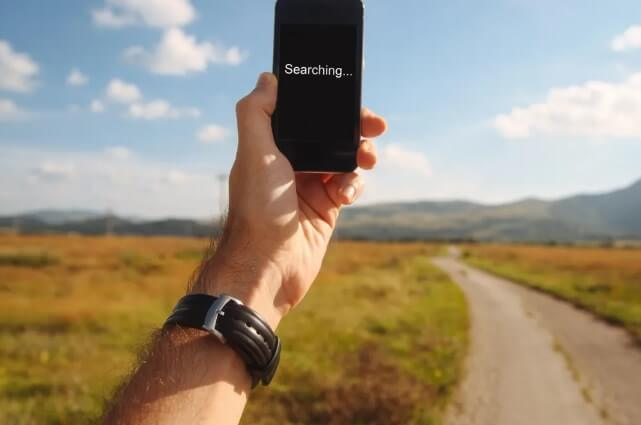
No location found meaning refers to a system error that occurs when a device, app, or service is unable to detect or retrieve your current geographical position.
In simple terms, it means:
Your device or application cannot determine where you are.
This message usually appears when:
- GPS signals are weak or blocked
- Internet connectivity is unstable
- Location services are disabled
- App permissions are restricted
- Device sensors malfunction
For travelers, this can be especially stressful because accurate location tracking is essential for navigation, hotel bookings, ride-sharing services, and emergency assistance.
Why “No Location Found” Is Important for Travelers
Traveling today heavily depends on digital tools. When you encounter no location found, it can cause delays, confusion, and safety risks.
Here’s why this issue matters:
- Navigation apps cannot provide directions
- Ride-hailing services cannot pick you up
- Hotel check-in systems may fail
- Emergency services may not track your location
- Travel apps may not function properly
Understanding the no location found meaning allows travelers to troubleshoot problems quickly and continue their journey smoothly.
Common Situations Where “No Location Found” Appears
This error message can occur in various everyday travel scenarios. Let’s explore the most common ones:
1. GPS Navigation Apps
When using maps for driving, walking, or hiking, the GPS signal might fail due to tunnels, tall buildings, or poor satellite reception.
2. Ride-Sharing Services
Apps like Uber or Careem may show this error if they cannot detect your pickup location.
3. Hotel and Travel Booking Apps
Many travel platforms rely on location data to show nearby hotels, attractions, and services.
4. Emergency Situations
Location sharing features may stop working when connectivity issues arise, creating serious safety concerns.
Main Causes of “No Location Found” Error
Understanding the reasons behind this issue helps travelers fix it faster. Here are the most common causes:
1. Weak GPS Signal
Tall buildings, dense forests, underground parking, tunnels, and remote areas can block GPS satellite signals.
2. Poor Internet Connection
Most location-based apps require stable internet. Weak Wi-Fi or mobile data can prevent location detection.
3. Disabled Location Settings
If location services are turned off, apps cannot access your position.
4. App Permission Restrictions
If you deny location permissions, apps cannot retrieve your location.
5. Device Software Glitches
System bugs or outdated software can interfere with GPS performance.
6. Hardware Problems
Damaged GPS antennas or sensors can prevent location tracking.
How “No Location Found” Affects Travel Planning
Travel planning becomes difficult when location services fail. Here’s how this issue impacts travelers:
Navigation Problems
Without GPS tracking, travelers may struggle to find routes, leading to missed flights, late arrivals, or wrong turns.
Hotel Booking Difficulties
Location-based hotel suggestions become inaccurate, limiting options.
Transport Delays
Ride-sharing and public transport apps depend on real-time location data.
Safety Risks
Emergency services rely on precise location sharing for quick response.
How to Fix “No Location Found” Error While Traveling
Here are the most effective solutions to fix no location found meaning issues quickly:
1. Turn On Location Services
Go to your phone settings and enable location access:
- Android: Settings → Location → Turn On
- iPhone: Settings → Privacy → Location Services → Enable
2. Check App Permissions
Ensure your navigation or travel apps have permission to access your location.
3. Restart Your Device
A simple restart often fixes temporary software glitches.
4. Improve Internet Connectivity
Switch between Wi-Fi and mobile data or move to an area with stronger network coverage.
5. Enable High Accuracy Mode
Set your device to high accuracy location mode using GPS, Wi-Fi, and mobile networks.
6. Update Your Apps and Operating System
Outdated software may cause bugs. Always keep your apps updated.
Travel Tips to Avoid “No Location Found” Problems
Prevention is better than cure. Follow these tips to minimize location errors during travel:
Download Offline Maps
Before traveling, download offline maps to ensure navigation even without internet.
Carry Portable Wi-Fi Devices
Portable Wi-Fi routers provide stable internet access.
Keep Power Banks Handy
Low battery levels can disable GPS features.
Update Apps Before Your Trip
Make sure all travel-related apps are fully updated.
Check Location Settings in Advance
Test your GPS and location services before leaving.
No Location Found Meaning in Popular Travel Apps
Different apps may show this error in various ways. Here’s how it affects common travel platforms:
Google Maps
May fail to show your real-time position or navigation routes.
Booking Apps
Nearby hotels and attractions may not display correctly.
Airline Apps
Airport navigation and boarding alerts may become unreliable.
Ride-Hailing Apps
Drivers may not find your pickup location.
Is “No Location Found” a Security Concern?
Yes, sometimes it can be.
If your device frequently shows this error without clear reasons, it might indicate:
- Malware interference
- System corruption
- GPS hardware malfunction
Travelers should scan devices regularly and install updates to maintain security.
“No Location Found” Meaning in International Travel
When traveling abroad, this error can become more frequent due to:
- Roaming data restrictions
- Network compatibility issues
- SIM card limitations
Tips for International Travelers
- Purchase international roaming plans
- Use local SIM cards
- Enable offline navigation
- Carry travel routers
These steps help maintain stable connectivity and location accuracy.
READ ABOUT:
Best Places to Travel in December on a Budget
How Airlines and Airports Use Location Services
Modern airports rely on GPS and indoor positioning systems for:
- Terminal navigation
- Gate change alerts
- Boarding notifications
- Baggage tracking
When travelers face no location found meaning, these services may stop working, causing confusion and delays.
Future of Location Technology in Travel
Location technology is evolving rapidly. New systems aim to reduce errors and improve accuracy using:
- AI-powered mapping
- 5G connectivity
- Satellite-based navigation improvements
- Indoor positioning systems
These innovations will minimize no location found problems and enhance travel experiences.
FAQs About No Location Found Meaning
What does no location found mean on my phone?
It means your device cannot determine your current location due to GPS, internet, or system issues.
Is no location found a serious problem?
Not always. Most of the time, it can be fixed easily through settings or connectivity improvements.
Why does this happen more during travel?
New locations, roaming networks, and unfamiliar environments can affect GPS accuracy.
Can airplane mode cause no location found?
Yes. Airplane mode disables cellular and internet services, affecting location detection.
Does battery saver mode affect GPS?
Yes. Battery saver features often restrict GPS performance to conserve power.
Conclusion
Understanding no location found meaning is essential for modern travelers. Whether you’re navigating a new city, booking hotels, or using ride-sharing services, accurate location tracking plays a critical role in ensuring a smooth and stress-free journey.
Most location issues are temporary and can be fixed easily with simple steps like enabling GPS, improving connectivity, and updating apps. By preparing in advance and following best practices, travelers can avoid disruptions and enjoy seamless travel experiences.
As location technology continues to evolve, these errors will become less frequent, making travel smarter, safer, and more convenient.